WWW BROWSERS
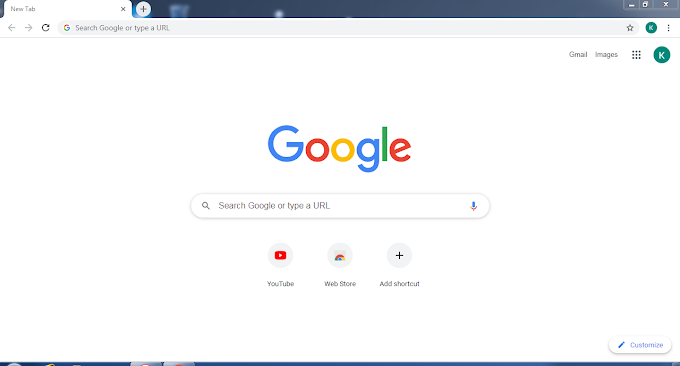
To use a computer as a web client, a user needs to load on it a special software tool known as WWW browser (or browser in short). Normally, browsers provide following navigatin facilities to help users save time while Internet surfing

1. Unlike FTP and Telnet, browsers do not require a user to log in to a server computer remotely, and then to log out again when the user finishes accessing information on server computer.
2. Browsers enable a user to visit a server computer's site directly and access information on it by specifying its URL(Uniform Resource Locator) address. URL is an addressing scheme. which WWW browsers use to locate sites on the Internet.
3. Browsers enable a user to create and maintain a personal hotlist of favorite URL address of server computers that the user is likely to visit in future frequently . A user's hotlist is stored on his/her local web client computer. Browsers provide hotlist commands to enable a user to add, delete , update URL address in hotlist, and to select an URL address of a server computer from hotlist, when the user wants to visit the server computer.
4. Many browsers have a "history" feature. These browsers maintain a history of server computers visited by a user in a surfing session . That is, they save in the user's local computer's memory, the URL address of server computers visited by him/her during a surfing session, so that if the user wants to go back to an already visited server later on (in the same surfing session), the link is still available in local computer's memory.
5. Browsers enable a user to downlaod (copy from a server computer to local computer's hard disk ) information in various formats . the user can use the downlaoded information later. For example , the user can later print downlaoded information saved as PostScript file on a PostScript-compatible printer, which can reproduce even graphics properly.
The are many browsers available today such as Internet Explorer, Google Chrome, Apple Safari, Mozilla FireFox, NetScape, and MacWeb.